
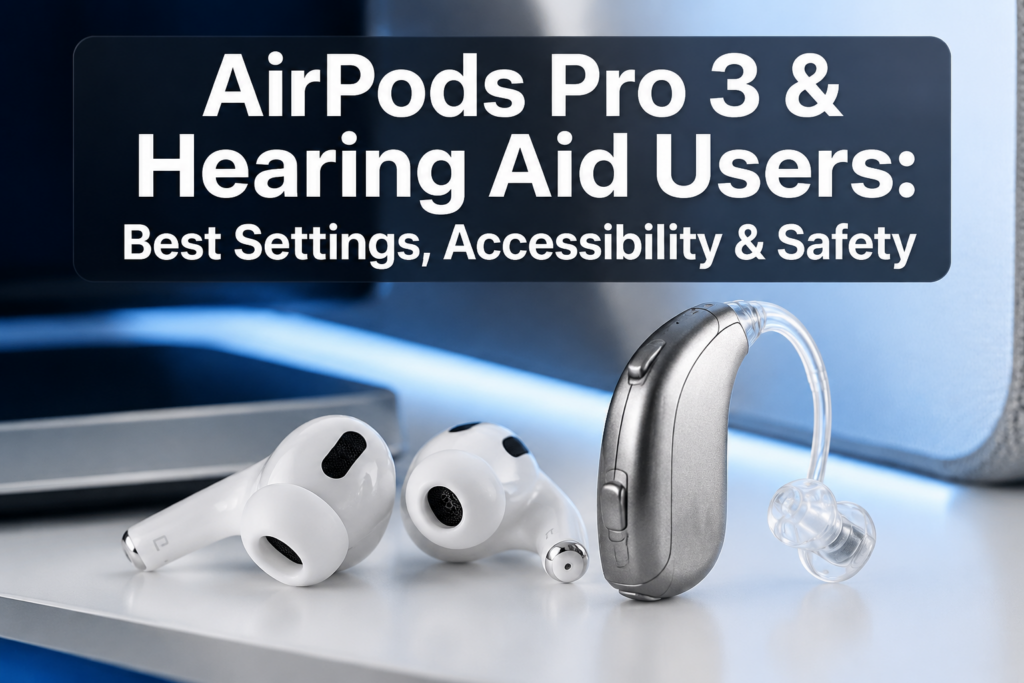
Last updated: July 5, 2026
Quick Answer: Apple AirPods Pro 3 include a clinically validated Hearing Test and a software-enabled Hearing Aid feature designed for mild to moderate hearing loss, making them genuinely useful for many people with hearing difficulties. However, they are not a replacement for prescription hearing aids in cases of moderate-to-severe or severe hearing loss. For hearing aid wearers, compatibility depends on the type of hearing aid, ear canal space, and individual listening needs.
Key Takeaways
- 🎧 AirPods Pro 3 include a built-in Hearing Aid feature (FDA-authorized in the US) for mild to moderate hearing loss, not severe loss
- 🔬 The Hearing Test runs directly on iPhone or iPad and stores results privately in Apple Health
- 🔊 Live Listen turns an iPhone into a remote microphone, streaming audio directly to the AirPods
- ⚠️ Hearing Protection mode reduces loud environmental noise up to 110 dBA using the H2 chip at 48,000 checks per second
- 🔋 Battery life reaches up to 10 hours when using the Hearing Aid feature in Transparency mode
- 🎚️ Personalized Volume and Adaptive Audio automatically adjust sound to the user’s environment
- 🚫 AirPods Pro 3 cannot physically fit alongside most in-the-canal (ITC) or completely-in-canal (CIC) hearing aids simultaneously
- ✅ People with behind-the-ear (BTE) hearing aids may find AirPods Pro 3 more compatible, though feedback can occur
- 🌍 Hearing Test and Hearing Aid features have regional availability restrictions, check Apple’s feature availability page before purchasing [3]
- 📱 All hearing health data stays on-device in the Health app, not shared with Apple servers
Can AirPods Pro 3 Work With Hearing Aids?
AirPods Pro 3 can work alongside some hearing aids, but it depends heavily on the style of hearing aid being worn. In-the-canal and completely-in-canal hearing aids leave little room for AirPods Pro 3’s ear tips, making simultaneous use physically uncomfortable or impossible.
Behind-the-ear (BTE) and receiver-in-canal (RIC) hearing aid users have the best chance of pairing both devices, since the AirPods sit in the ear canal while the hearing aid receiver or dome is nearby. That said, acoustic feedback, a whistling or squealing sound, is a real concern when two devices amplify sound in the same ear canal.
Choose AirPods Pro 3 alongside your hearing aid if:
- You wear BTE or RIC hearing aids and want media streaming directly to your ears
- You want to use Live Listen as a supplemental microphone boost
- Your audiologist has confirmed your ear canal can accommodate both devices
Avoid simultaneous use if:
- You wear ITC, CIC, or invisible-in-canal (IIC) hearing aids
- You experience feedback or discomfort during testing
For a broader look at how wireless earbuds interact with hearing health, see this guide on AirPods and hearing health.
What Accessibility Features Do AirPods Pro 3 Have for Hearing Loss?
AirPods Pro 3 pack more hearing-focused features than any previous Apple earbud, and several are directly useful for people with hearing difficulties. [1]
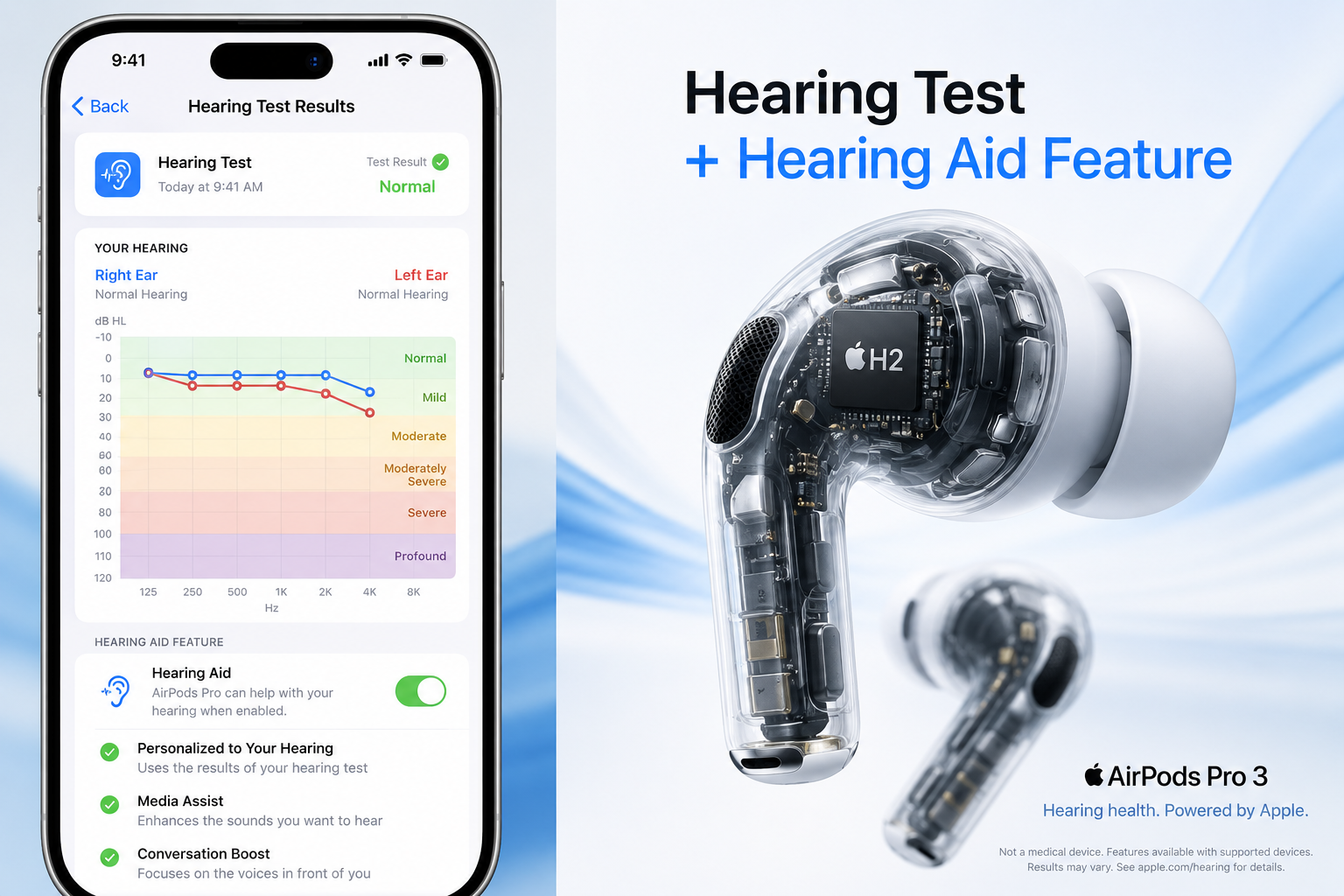
Here’s a full breakdown:
| Feature | What It Does | Best For |
|---|---|---|
| Hearing Aid | Amplifies and clarifies sound for mild-moderate loss | Daily hearing support |
| Hearing Test | Clinically validated audiogram on iPhone/iPad | Baseline hearing check |
| Live Listen | Streams iPhone mic audio to AirPods | Noisy environments |
| Adaptive Audio | Blends noise cancellation and transparency automatically | Changing environments |
| Personalized Volume | Learns listening habits, adjusts automatically | Consistent comfort |
| Hearing Protection | Reduces loud noise up to 110 dBA | Concerts, machinery |
| Background Sounds | Ocean, rain, and other ambient audio | Focus and tinnitus masking |
| Headphone Audio Levels | Tracks loud listening time, sets volume limits | Safe listening habits |
All hearing health data from the Hearing Test is stored privately in the Health app on the user’s iPhone, Apple does not access it. [1]
How to Use AirPods Pro 3 as Hearing Amplifiers
AirPods Pro 3 can function as personal sound amplification devices for mild to moderate hearing loss through the Hearing Aid feature. This is not a workaround, it’s an FDA-authorized health feature built into iOS. [1]
Step-by-step setup:
- Run the Hearing Test, Go to Settings > AirPods Pro > Hearing > Hearing Test on iPhone or iPad. The test takes about 5 minutes.
- Review your audiogram, Results are saved in the Health app and used to calibrate the Hearing Aid feature automatically.
- Enable the Hearing Aid feature, After the test, follow prompts to activate it. This adjusts amplification, tone, and balance based on your results.
- Choose Transparency mode, The Hearing Aid feature works in Transparency mode, which lets environmental sound through while applying your personalized amplification profile.
- Fine-tune manually, In Settings > Accessibility > AirPods, adjust amplification levels, balance between ears, and tone (bass/treble).
- Set a volume limit, Use Settings > Sounds & Haptics > Headphone Safety to cap maximum output and track listening exposure.
Important: The Hearing Aid feature is designed for perceived mild to moderate hearing loss. If your audiologist has diagnosed moderate-to-severe or severe hearing loss, AirPods Pro 3 alone will not provide adequate amplification. [1]
Are AirPods Pro 3 Safe for People With Hearing Aids?
For most hearing aid users, AirPods Pro 3 are safe to use, but a few specific risks are worth knowing. The biggest concern is acoustic feedback, which happens when amplified sound from one device leaks into the microphone of another, creating a high-pitched squeal. This can be startling and, at high volumes, potentially uncomfortable.
Safety considerations:
- Volume stacking: If a hearing aid is amplifying sound and AirPods Pro 3 are also amplifying, total output can exceed safe levels. The WHO recommends keeping average listening below 80 dB for adults over extended periods.
- Hearing Protection mode actively reduces sounds above 85 dB, which adds a useful safety layer [1]
- Headphone Audio Levels in iOS tracks cumulative loud exposure and sends notifications when weekly limits are approached [1]
- People with tinnitus should be cautious with high-volume use, see this resource on understanding tinnitus and ringing in the ears for more context
Common mistake: Turning up AirPods Pro 3 volume to compensate for a poorly fitted hearing aid. Fix the hearing aid fit first, then use AirPods at moderate levels.
Best EQ and Volume Settings for Hard of Hearing Users
The best AirPods Pro 3 settings for hearing loss prioritize speech clarity, reduced background noise, and controlled volume. There’s no single “perfect” EQ, but these starting points work well for most people with mild to moderate hearing loss.
Recommended settings:
- Hearing Aid feature: Enable and calibrate via the Hearing Test for a personalized amplification curve
- Tone adjustment: Boost treble (high frequencies), consonant sounds like “s,” “f,” and “th” live in higher frequencies and are often the first to become unclear with age-related hearing loss
- Balance: If one ear hears better, shift the balance slider slightly toward the weaker ear
- Transparency mode: Use “Conversation Boost” (Settings > Accessibility > AirPods > Conversation Boost) to focus amplification on voices directly in front of you
- Adaptive Audio: Leave this on, it intelligently blends noise cancellation and transparency as your environment changes [1]
- Volume limit: Set a maximum in Headphone Safety to prevent accidental loud spikes
For people with age-related hearing loss specifically, this guide on hearing loss associated with old age explains why high-frequency settings matter most.
Can You Use AirPods Pro 3 if You Wear Hearing Aids in Both Ears?
Using AirPods Pro 3 with bilateral (both ears) hearing aids is possible but requires more planning. The physical fit is the first hurdle, AirPods Pro 3 ear tips need to seal the ear canal, which conflicts with most in-canal hearing aid styles.
Practical options for bilateral hearing aid users:
- Remove hearing aids temporarily and use AirPods Pro 3 with the Hearing Aid feature for media, calls, or Live Listen sessions
- Use AirPods with BTE aids if the ear canal is clear enough to accommodate the AirPods tip alongside the hearing aid receiver
- Use one AirPod at a time if only streaming audio (calls, podcasts), this reduces feedback risk and preserves battery
Edge case: Some users with mild loss in one ear and moderate in the other find it effective to wear one hearing aid and one AirPod Pro 3 simultaneously, using the balance setting to compensate.
AirPods Pro 3 Hearing Aid Compatibility Issues and Feedback Cancellation
Feedback and interference are the most common complaints when combining AirPods Pro 3 with hearing aids. AirPods Pro 3 do not have a dedicated “hearing aid compatibility” (HAC) mode the way some smartphones do for telecoil coupling, but the H2 chip’s active noise processing does reduce feedback loops significantly. [1]
How to reduce feedback:
- Lower AirPods volume before inserting them alongside a hearing aid
- Use Active Noise Cancellation mode instead of Transparency when feedback occurs (this closes the microphone loop)
- Ensure AirPods ear tips are properly sized, a poor seal increases feedback risk
- Ask your audiologist to reduce the gain on your hearing aid’s high-frequency channels if feedback persists
Bluetooth interference between hearing aids and AirPods is rare but can occur if both devices use 2.4 GHz Bluetooth simultaneously in congested wireless environments. Switching to a less crowded Bluetooth channel (managed automatically by iOS) usually resolves this.
Does the Apple Hearing Test Work With AirPods Pro 3?
Yes, the Apple Hearing Test is designed specifically for AirPods Pro 3 paired with an iPhone or iPad running the latest iOS. The test uses pure-tone audiometry delivered through the AirPods and produces a clinically validated audiogram stored in the Health app. [1]
What the test measures: Hearing thresholds across multiple frequencies in each ear separately, similar to a basic audiological screening.
What it does not replace: A full diagnostic audiological evaluation by a licensed audiologist, which tests a wider frequency range, speech discrimination, and middle ear function.
Who should still see an audiologist:
- Anyone with sudden hearing loss (see sudden hearing loss in one ear)
- Anyone whose Hearing Test results suggest more than mild-moderate loss
- Anyone with asymmetric hearing loss (one ear significantly worse than the other)
Live Listen Feature for Hearing Loss: How It Works
Live Listen is one of the most practical features for people with hearing difficulties. It turns an iPhone, iPad, or iPod touch into a directional microphone that streams audio in real time to AirPods Pro 3. [4]
How to activate Live Listen:
- Add Hearing to Control Center: Settings > Control Center > Hearing
- Place iPhone near the sound source (across a table, near a TV speaker, etc.)
- Open Control Center, tap the ear icon, and tap Live Listen
- Audio streams directly to AirPods Pro 3
Apple Watch control: Live Listen sessions can be started or stopped from an Apple Watch, so users don’t need to reach for their iPhone mid-conversation. [4]
Best use cases:
- Hearing a speaker at a meeting when seated far away
- Following TV dialogue without raising room volume
- One-on-one conversations in noisy restaurants
AirPods Pro 3 vs Actual Hearing Aids: Can AirPods Pro 3 Replace Hearing Aids?
AirPods Pro 3 cannot replace prescription hearing aids for moderate-to-severe or severe hearing loss. The Hearing Aid feature is explicitly designed and authorized for mild to moderate hearing loss only. [1]
Side-by-side comparison:
| Factor | AirPods Pro 3 (Hearing Aid feature) | Prescription Hearing Aid |
|---|---|---|
| Hearing loss range | Mild to moderate | Mild to profound |
| Customization | App-based, self-fitted | Audiologist-programmed |
| Battery | Up to 10 hours [2] | 3-7 days (rechargeable) or weeks (disposable) |
| Discretion | Visible earbuds | Varies (IIC nearly invisible) |
| Cost | ~$249 (AirPods Pro 3) | $1,000,$7,000+ per pair |
| Insurance coverage | No | Sometimes partial |
| Regulatory status | FDA-authorized OTC hearing aid | Prescription or OTC depending on class |
| Additional features | Music, calls, ANC, translation | Hearing-focused only |
Choose AirPods Pro 3 if: You have confirmed mild to moderate hearing loss, want a multi-purpose device, and are comfortable with self-fitting.
Choose prescription hearing aids if: Your audiologist has diagnosed moderate-to-severe or worse hearing loss, or if self-fitted amplification hasn’t been sufficient.
For more guidance on choosing the right audio device for hearing difficulties, see best headphones for hearing loss.
How Loud Can AirPods Pro 3 Get Safely for Hearing Aid Users?
AirPods Pro 3 can reach output levels that pose a real risk if used carelessly, especially when combined with a hearing aid’s own amplification. Apple’s Hearing Protection feature actively reduces environmental sounds above 85 dB, and the H2 chip processes noise 48,000 times per second to catch loud, sudden events. [1]
Safe listening guidelines for hearing aid users:
- Keep combined output (hearing aid + AirPods) below 80 dB average for extended listening sessions
- Use the Headphone Safety feature in iOS to set a volume limit and receive weekly exposure notifications [1]
- Avoid using AirPods Pro 3 at maximum volume to compensate for a hearing aid that needs adjustment, get the hearing aid recalibrated instead
- Take listening breaks: 60 minutes of listening at moderate levels, then a short break, is a widely recommended pattern
Understanding the broader risks of noise exposure is covered in this article on understanding hearing damage, causes, and prevention.
Conclusion: Getting the Most From AirPods Pro 3 With Hearing Loss
Apple AirPods Pro 3 and hearing aid users have more options in 2026 than ever before, but making the right choices requires knowing the limits of each device. Here’s what to do next:
- Run the Hearing Test in AirPods settings before enabling any amplification features, your audiogram drives everything else.
- Enable Conversation Boost and Adaptive Audio as your baseline settings for everyday use.
- Use Live Listen in meetings, restaurants, or any situation where distance from a speaker is a challenge.
- Set a volume limit in Headphone Safety and check your weekly listening report regularly.
- Consult your audiologist before relying on AirPods Pro 3 as a primary hearing device, especially if your hearing loss is more than mild to moderate.
- Test physical compatibility with your hearing aids before committing to simultaneous use. A 15-minute trial at an Apple Store is worth the trip.
AirPods Pro 3 are a genuinely useful hearing health tool for the right user. They’re not a cure, not a full hearing aid replacement for significant loss, and not without limitations, but for millions of people with mild to moderate hearing difficulties, they offer real, daily value.
FAQ
Q: Can I use AirPods Pro 3 with my behind-the-ear hearing aids at the same time? A: Yes, in many cases. BTE hearing aids leave the ear canal accessible, so AirPods Pro 3 ear tips can often fit alongside them. Test for feedback before extended use and lower AirPods volume if whistling occurs.
Q: Is the Apple Hearing Aid feature available everywhere? A: No. The Hearing Test and Hearing Aid features require regulatory authorization and are not available in all countries or regions. Check Apple’s feature availability page before purchasing. [3]
Q: Will AirPods Pro 3 interfere with my hearing aid’s Bluetooth? A: Rarely. Both devices use 2.4 GHz Bluetooth, but iOS manages channel selection automatically to minimize conflicts. If interference occurs, toggling Bluetooth off and on usually resolves it.
Q: Can AirPods Pro 3 help with tinnitus? A: The Background Sounds feature (ocean, rain, white noise) can help mask tinnitus symptoms. It’s not a medical treatment, but many users find it useful for focus and sleep.
Q: How do I know if my hearing loss qualifies for the AirPods Pro 3 Hearing Aid feature? A: Run the built-in Hearing Test. If results show mild to moderate hearing loss, the feature will be offered. If loss is more significant, the app will recommend seeing an audiologist. [1]
Q: Do AirPods Pro 3 work with Android phones for the Hearing Aid feature? A: No. The Hearing Test and Hearing Aid features require an iPhone or iPad running the latest iOS/iPadOS. Core audio functions work with Android, but hearing health features do not. [2]
Q: Can I use just one AirPod Pro 3 if I wear a hearing aid in the other ear? A: Yes. AirPods Pro 3 support single-earbud use. This is a practical option for users who wear a hearing aid in one ear and want audio streaming in the other.
Q: How does the Personalized Volume feature work for hearing aid users? A: Personalized Volume learns your listening preferences over time and adjusts output based on your environment, louder in noisy places, quieter in calm ones. It works independently of the Hearing Aid feature. [1]
Q: Are AirPods Pro 3 covered by insurance as a hearing aid? A: Generally no, though this varies by insurance plan and country. Prescription hearing aids are more commonly covered. Check with your insurance provider directly.
Q: What’s the difference between Live Listen and the Hearing Aid feature? A: Live Listen streams audio from a remote iPhone microphone to your AirPods, useful for hearing across a room. The Hearing Aid feature amplifies all environmental sound in real time through the AirPods themselves, like a traditional hearing aid. [1] [4]
References
[1] Hearing Health – https://www.apple.com/airpods-pro/hearing-health/?utm_source=openai [2] Specs – https://images.apple.com/airpods-pro/specs/?utm_source=openai [3] Feature Availability – https://www.apple.com/airpods-pro/feature-availability//?utm_source=openai [4] Accessibility – https://www.apple.com/accessibility/?utm_source=openai [5] Use AirPods Pro 3 As A Hearing Aid: Setup, Battery And Pro Tips – https://www.macobserver.com/airpods/use-airpods-pro-3-as-a-hearing-aid-setup-battery-and-pro-tips/?utm_source=openai
